Chapter 2 Standard Operating Procedure
2.1 System Preparation
2.1.1 Hardware Initialization
Power on the Bravo system, cooling module, and shaking device as required by your protocol
Ensure the deck is clear of obstructions and all required labware is properly positioned
2.1.2 Software Initialization
Launch \(VWorks\) Automation Control and click Agilent Bravo
Log in
Critical Step: Initialize the device using the configuration file from the path of C:WorkspaceFile\96LT w Vac Flt Stn and Cpac_without_collar.dev (an example)
Note: Initialization calibrates the system and prepares all components for operation. The software will prompt for initialization if not performed before protocol execution.
Initialization Prompts
During initialization, you may encounter the following prompts:
Scenario A: Empty Gripper
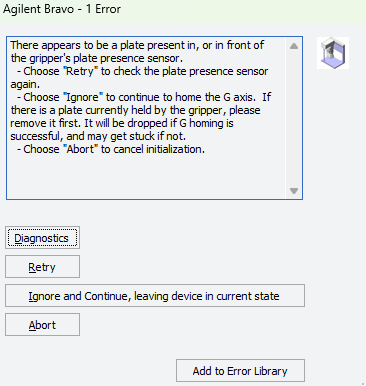
Action: Click “Ignore” if the gripper is not holding any objects.
Scenario B: Arm Positioning
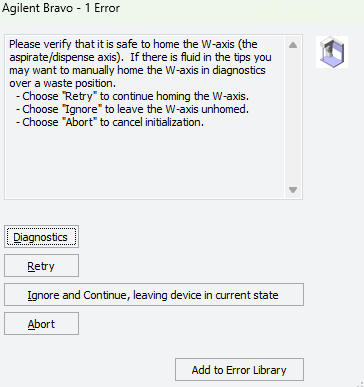
Action: Click “Retry” if the arm needs to return to the center deck position.